When Should you Put a Contact on DND?
Putting a contact on DND isn't something you should take lightly.
Once contact is put on DND, they will be removed from your sales pipeline, and you will never be able to put them in an automated campaign ever again and they will never be sent an email if you're running a promotion or hosting an open house.
DND is only to be used for contacts that you NEVER want to receive a message, call, voicemail, or GMB EVER AGAIN. But they will allow you to either disable all the communication or just to a specific communication tool.
Here are some examples of conversations where you would put someone on DND:
- "We found a different venue"
- "Sorry, someone must've put in the wrong number in your contact form"
- "Your venue is WAY out of our budget"
- "Your venue is not the style that we're looking for"
- "We're no longer interested"
These are all examples of people that I do not want to communicate with or receive more automated messages.
First, before you put them on DND, simply respond to them and wish them the best of luck on their venue search or apologize for the inconvenience.
Here is How to Put a Contact on DND
Desktop:
1. Click the drodown arrow beside the DND.
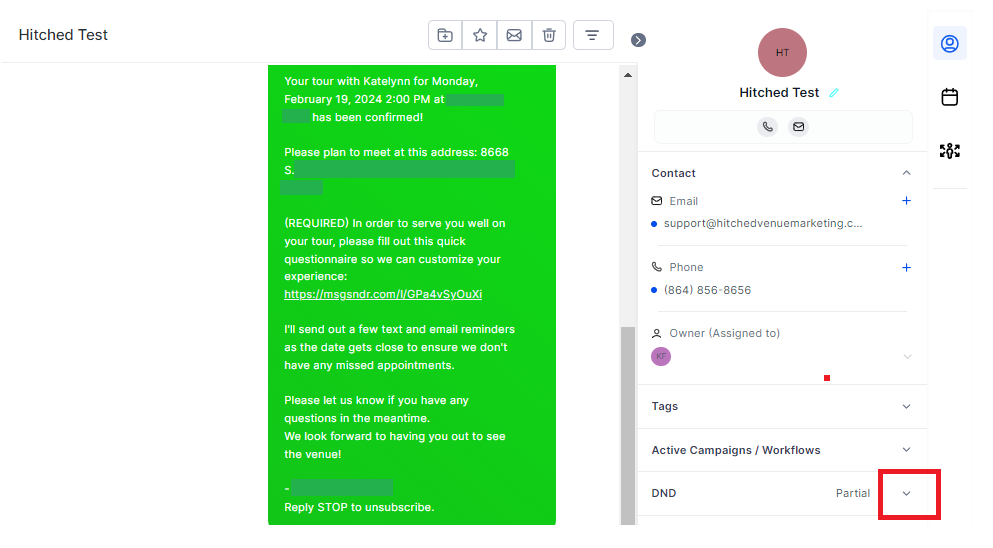
2. Select "DND to all channels" to remove them from all channels or in just a specific channel only. Then click save.
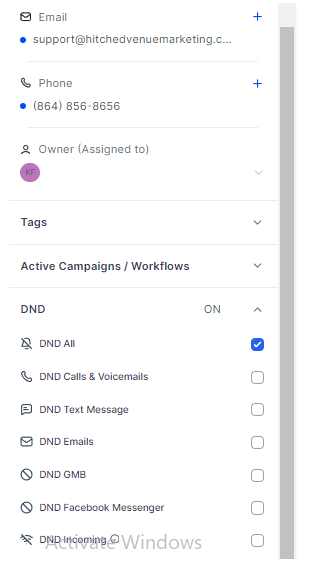
Note: If you wish not to receive messages from the contact that you've just set to DND, click the "DND Incoming" at the bottom part of the DND Preferences.
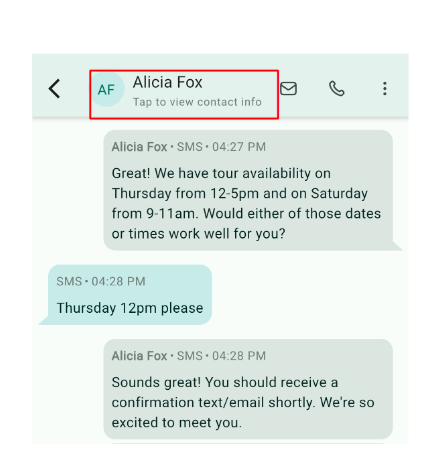
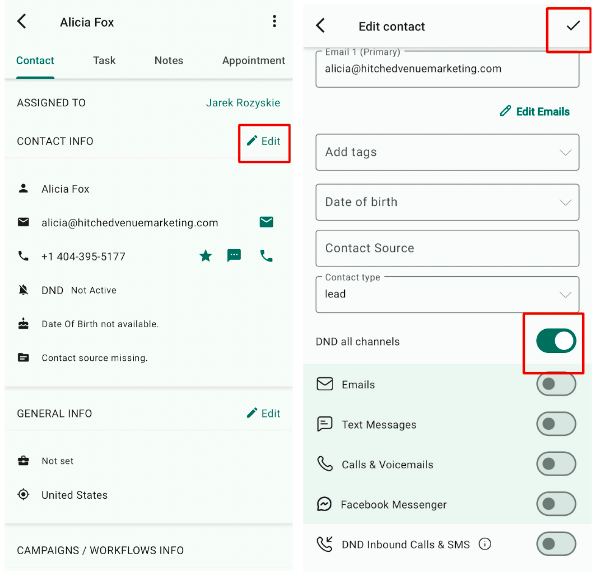
Mobile App: In conversation, tap the name of the contact that you want to set to DND. After tapping, it will show the Contact Info,click edit first then locate and turn on the DND button.