When someone calls your Hitched Phone Number, it will register within your conversations tab, and the call will also be recorded.
There are a couple of ways to listen to the calls that were recorded within the system: under a specific contact OR the full list
Specific Contact
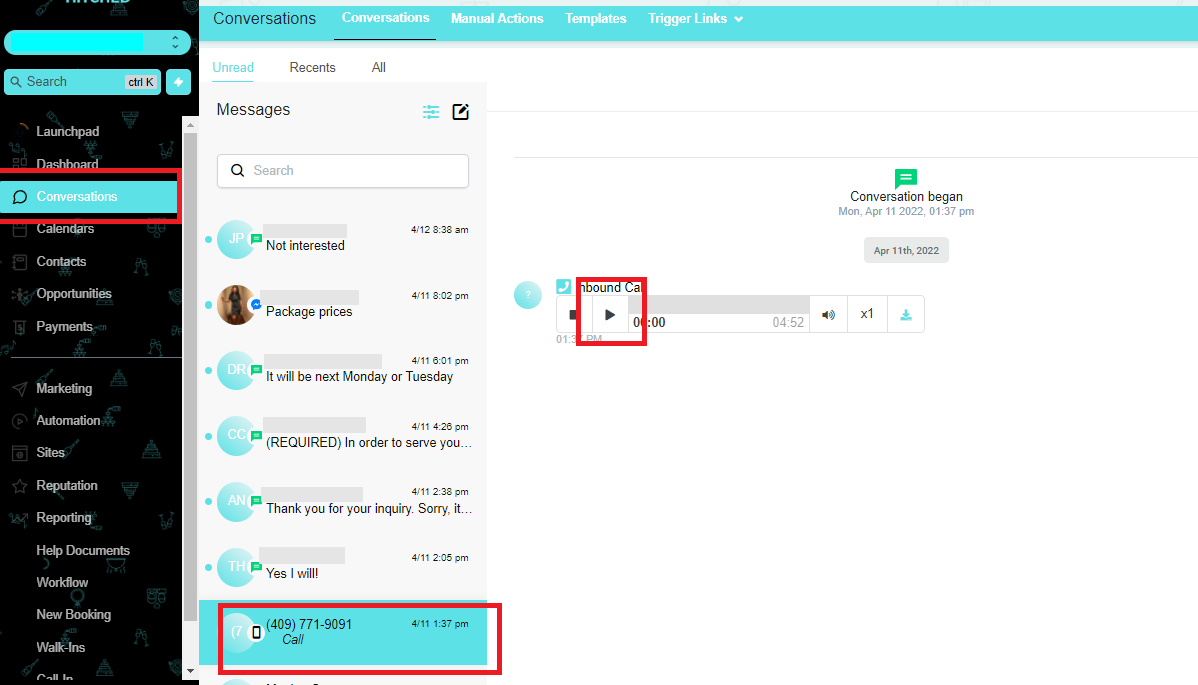
When trying to listen to a call on a specific contact, go to the Conversations tab. Search for the name of that contact and click the play button.
Full List
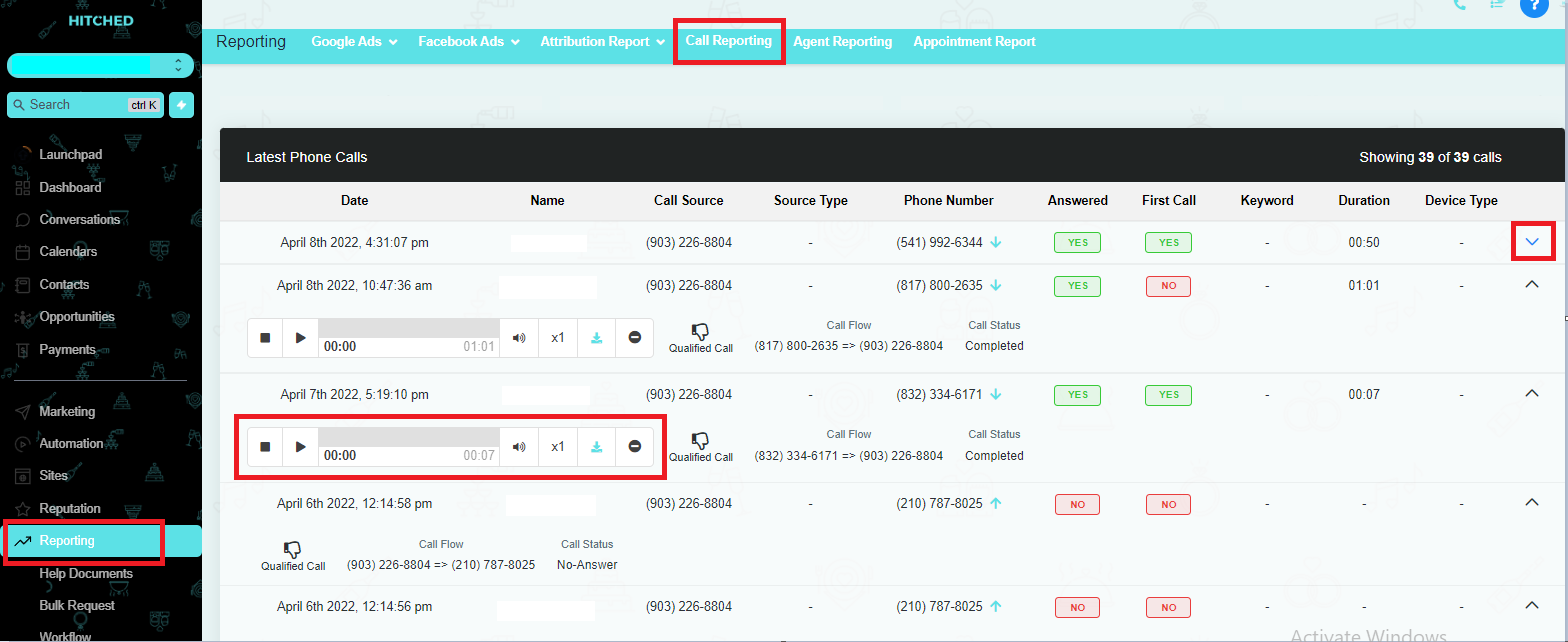
All call recordings can be found in Call Reporting.
To check out this list, you can follow these steps:
- Click on Reporting then Call Reporting.
- Scroll down and go to Latest Phonecalls.
- Click the drop-down arrow to check on the recording.
- Click the Play Button.