add-circle-bold add-circle add-square add alarm-bell-1 alert-diamond analytics-pie-2 archive archive arrow-down-1 arrow-down-2 arrow-left-1 arrow-right-1 arrow-up-1 attachment-1 bin-paper-1 book-star button-record check-1 check-circle-1 close close-quote close cog-1 cog common-file-stack copy-paste credit-card-1 diagram-fall-down disable time-clock-midnight download-thick-bottom drawer-send envelope-letter envelope-letter expand-6 expand-6 file-code filter-1 floppy-disk flying-insect-honey folder-file-1 headphones-customer-support hierarchy-9 hyperlink-2 information-circle keyboard-arrow-down keyboard-arrow-up layout-module-1 list-bullets lock-2 lock-unlock-1 love-it messages-bubble-square move-to-top multiple-circle multiple-neutral-1 multiple-users-1 navigation-menu-horizontal navigation-menu network-browser open-quote pencil-1 pencil-write pencil-1 print-text rating-star rating-star remove-circle remove-square-1 search send-email-1 shield-warning single-neutral-actions single-neutral smiley-sad-1 smiley-unhappy smiley-indifferent smiley-smile-1_1 smiley-happy smiley-sad-1 smiley-unhappy smiley-indifferent smiley-happy smiley-thrilled social-media-twitter synchronize-arrows-1 tags-double ticket-1 ticket-1 time-clock-circle undo view-1 view-off view wench

4. Reporting a New Booking

Congratulations! You just got a new booking. 

Wouldn't you hate it if they kept getting messages like "Are you still interested in our venue". Yeah, that would stink...

That's why it's important to Report Your Bookings!

Once you do this, the contact will be taken out of all campaigns and put into the "Booked" Stage in your sales pipeline.


In opportunities

In opportunities, drag and drop the client you want to mark as booked to the “Booked” Stage in the Sales Pipeline.
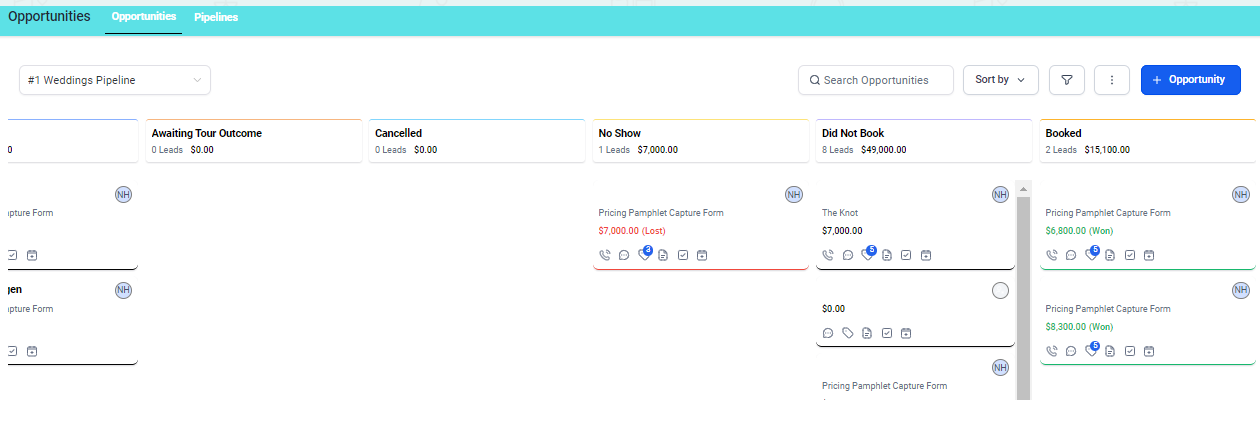
Once they’re in the “Booked” Stage.

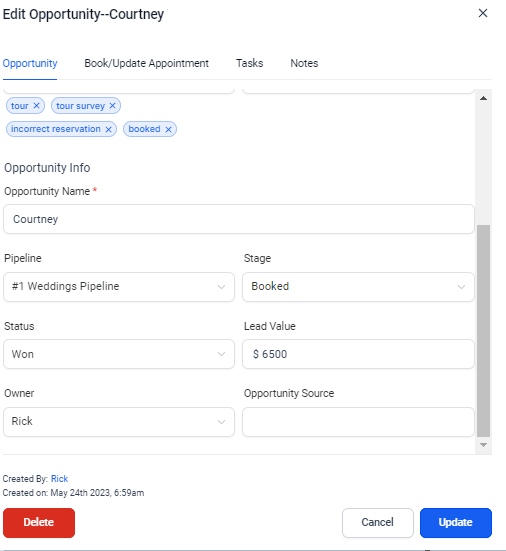
Click in the white area of the contact, here you will be able to scroll down and change the Lead Value to the $ amount of what the contract was signed for.
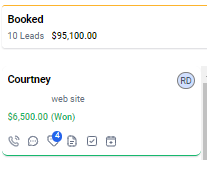
 Here you will be able to scroll down and change the Lead Value to the $ amount of what the contract was signed for.
 

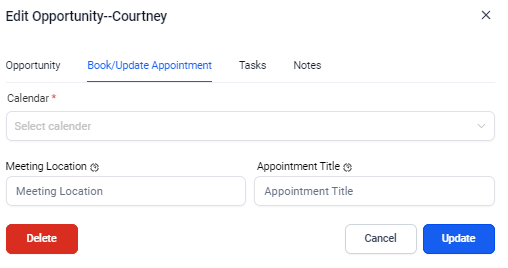
Before you click update, you want to go to the top of your screen, select Book Appointment
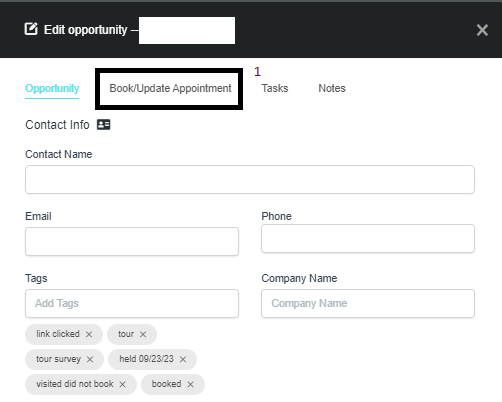
Select Book Appointment

Select the Bookings Calendar, enter the date of their wedding, and then click on Update.


From Phone

Go to contacts and search name
Click contact name
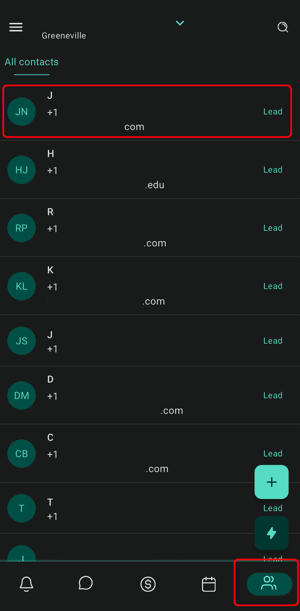
 

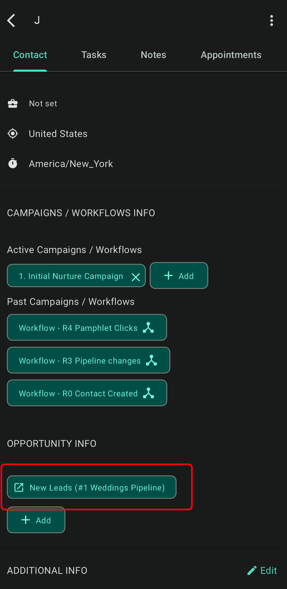
Scroll down to Opportunity Info and click the BLUE box to edit the Opportunity.
 

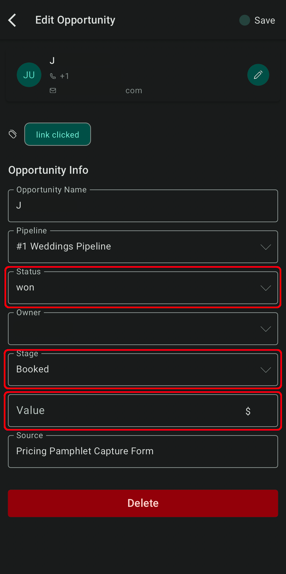
Change the Stage to "Booked" and the Status to "Won" then Enter Lead Value.

Click Save Button at the top.
 

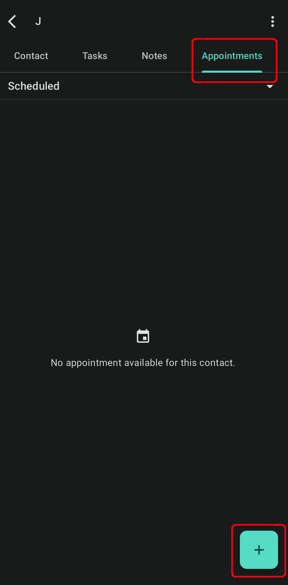
At the top, go to the appointments tab
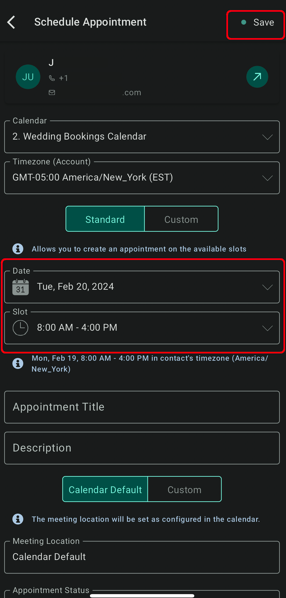
Add a New Appointment to the Bookings Calendar for the day that the wedding will be held


Screenshot_20221104-050958_Lead Connector.jpg