When you’re trying to search for a contact in the opportunities tab and you can’t seem to find them, you can try to do the following options:
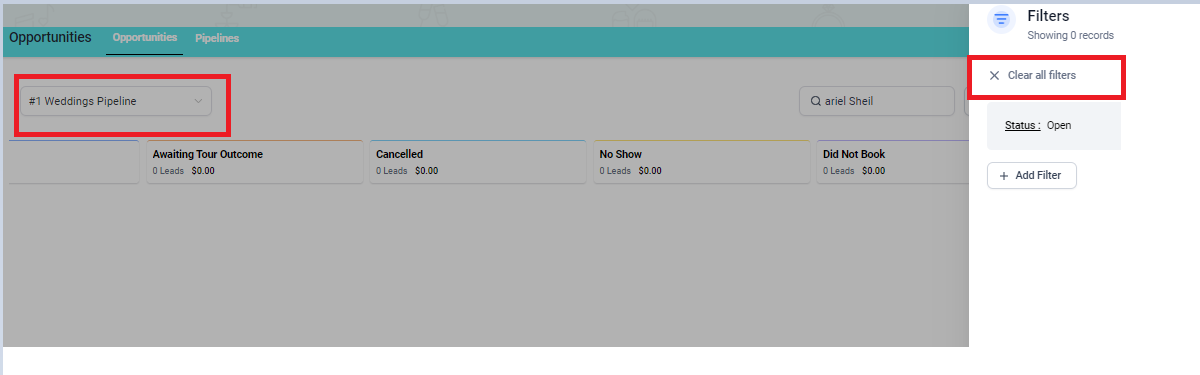
- Type the name of the contact in the SEARCH BOX.
- If you have other pipelines other than weddings, you can click the DROPDOWN arrow and select the correct pipeline.
- Click the "funnel" icon (Filter) at the upper right side of your screen and click the "Clear all filters".
- Once the LEAD CARD of the contact appeared, you may now know which pipeline it is in and other information by clicking it.
Note: If this doesn't work for you, please send us a message in Slack so that the Hitched Support Team can help you out.